Verified Solution
IoT & Cloud
Understanding LED Status Indicators on Your Device

385 Views
0 Replies
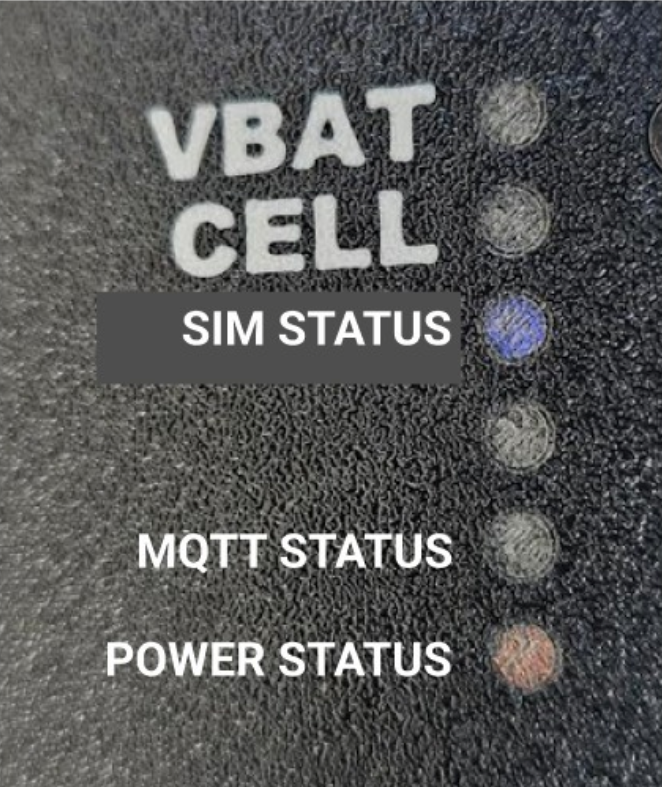
To help you quickly identify the operational status of your device, we’ve implemented a simple LED color system. Here’s what each LED indicates:
🔵 SIM Status
Red: SIM error or not detected
Blue: SIM connected successfully
🟡 MQTT Status
Red: MQTT connection failed
Yellow: MQTT connected successfully
🟢 Power Status
Red: Power issue detected
Green: Power supply is stable and normal
💡Note: Refer to the image below to locate each LED on your device.
If you notice persistent red indicators, please reach out to support for further assistance