
Verified Solution
Operations Toolkit
Steps to Use the Bidding Feature

837 Views
0 Replies
For Clients:
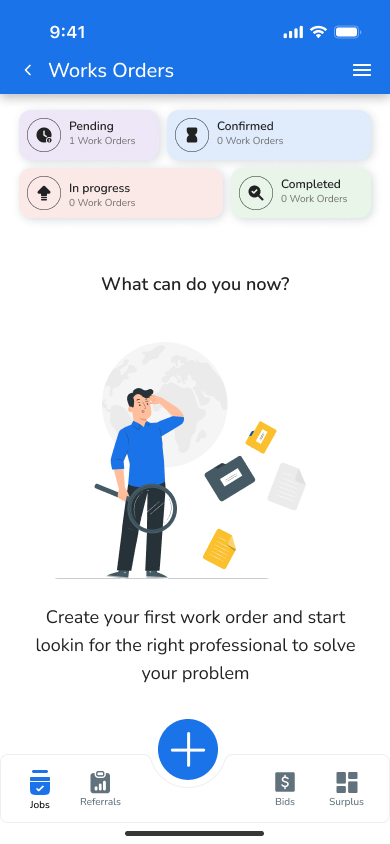
- Create a Work Order: Provide job details, including urgency and required expertise.
- Enable Bidding: Activate the feature in your Work Order settings.
- Monitor Responses: Review incoming bids via the app or notifications.
- Select Your Vendor: Evaluate and choose the best offer for your needs.
For Vendors:
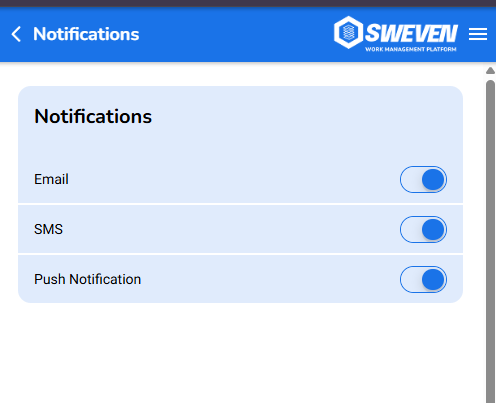
- Set Notification Preferences: Ensure you’re notified about relevant bids instantly.
- Review Work Orders: Check job details and decide which ones to bid on.
- Submit Your Bid: Provide competitive pricing and highlight your qualifications.
- Follow Up: Engage with the Client to confirm details once selected.
Best Practices for Using Bidding
- Be Detailed: Clients should include as much detail as possible in their Work Orders to attract precise and relevant bids.
- Act Quickly: Vendors should respond promptly to bid notifications to stay competitive.
- Communicate Clearly: Both Clients and Vendors should use the in-app messaging feature to clarify expectations.
- Maintain Profiles: Vendors should keep their profiles updated with certifications, reviews, and completed projects to stand out.