How to configure your Account information

Welcome to Sweven! In order to have all information displayed correctly in the platform when you navigate the platform, as well as create, update, assign, and manage Work Orders, please fill in your information in the Account Settings.
How to configure your account information
Go to the hamburger menu and scroll down to «Account Information». Click on the option.
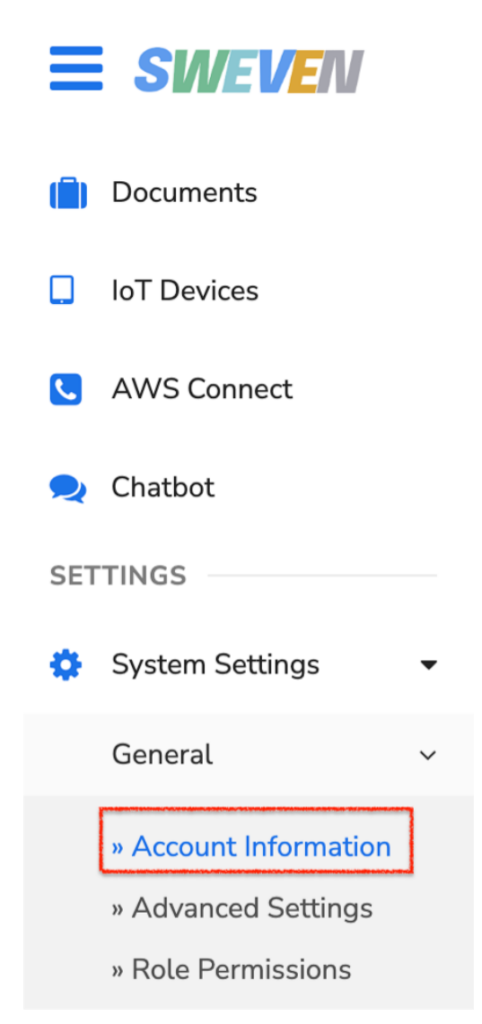
This will take you to a formulary where you can input your company’s information.
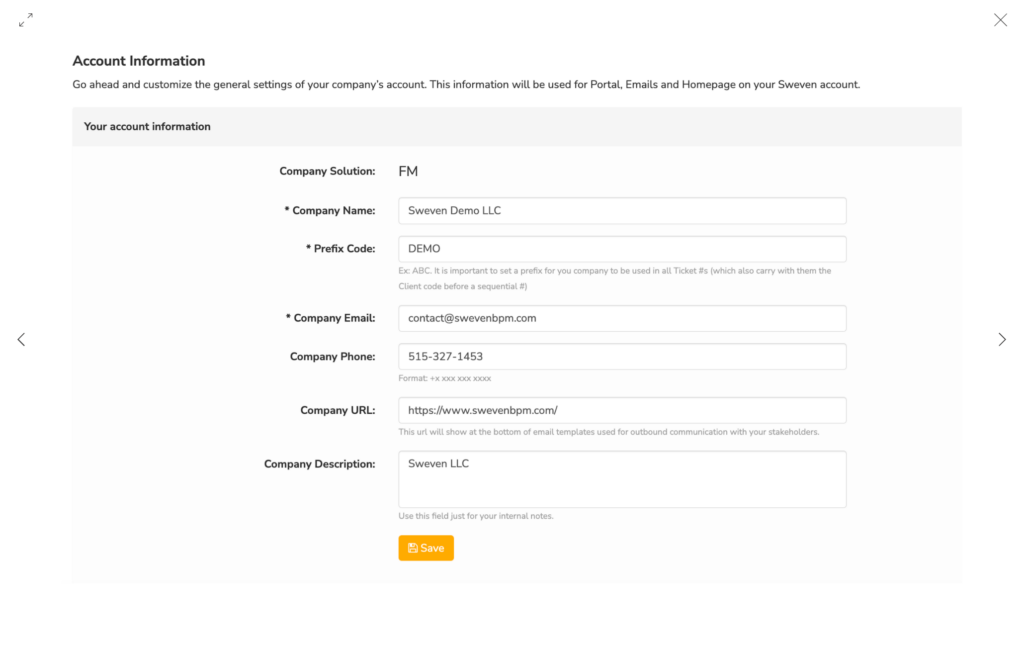
Company Solutions
FM – Facilities Management. This means this Sweven version is used and configured for Facilities management solutions.
Company Name
The official name of your Company, which will be a point of reference for work assignment and to help you identify yourself when acting as a self-performer.
Prefix Code
This is an important one, as all your Work Orders will be created with this prefix to identify them all across the platform, with the Client prefix following.
For instance, with the «DEMO» prefix in the example, when creating a new Work Order for the Client «ABC», a new Work Order will display as «DEMO-ABC-001«
Prefix is limited to 4 characters.
Company Email:
For the main point of email contact with your Company from external sources.
Company Phone:
For the main point of telephone or mobile contact with your Company from external sources. Format for this field is : +x xxx xxx xxxx
Company URL:
This URL will show at the bottom of email templates used for outbound communication with your stakeholders.
Company Description:
A brief description of the Company.
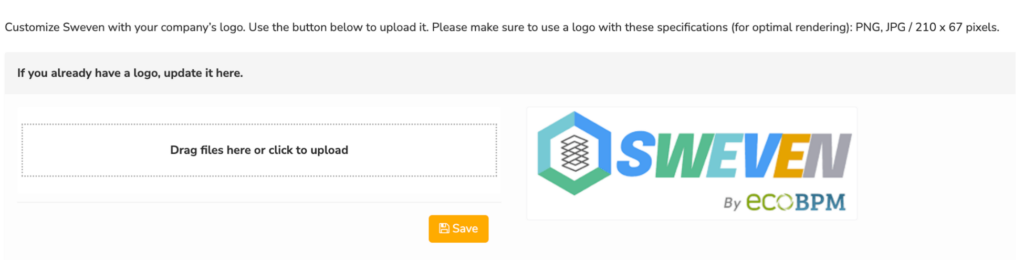
The last option at the bottom of the page is for your Company’s logo. This will be displayed as a header when navigating Sweven.
To upload or update your company’s logo in Sweven:
Click on the «Drag files here or click to upload» box.