
How to Show or Hide Statuses and Sub Statuses for Vendors

Vendors can be granted a Sweven account to Vendor Portal to be assigned work orders and receive details on the task to be performed. As an aggregator and Owner user, you can configure what Vendors see in their Vendor Portal view as the Home screen.
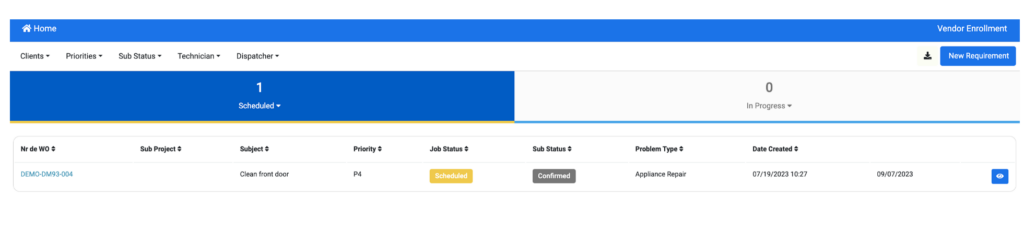
The list of «Scheduled» and «In Progress» work orders are shown on the home screen by default.
In order to make additional Statuses available for Vendors, follow these steps:
From an Owner user account, click on the hamburger menu on the left of your screen and scroll down to System Settings/ System Configuration / Work Orders.

Click on «Sub Status» on the right side of your screen.

This will display a list of all platform Statuses and Substatuses available and the option to make Visible for Vendor.
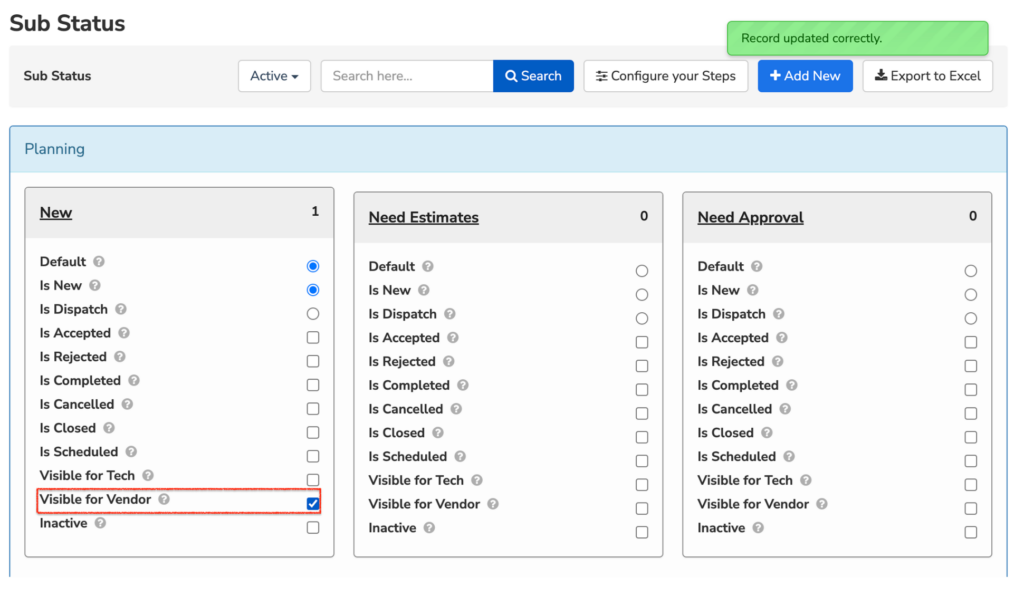
This has many applications, for instance, if you only want Vendors to be provided information on Work Orders in progress and you consider they need no further information once work is completed or you wanna keep their priority work visible first.