Verified Solution
Playbooks
Getting Started

897 Views
0 Replies
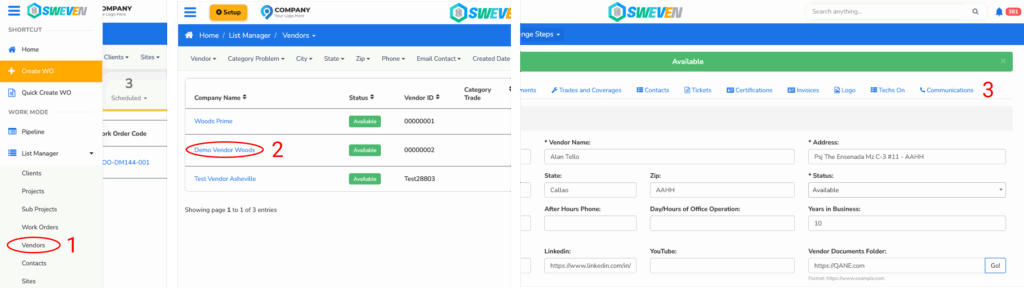
To begin using Vendor Communication:
Log in to the Owner Account.
Open the Vendor Profile you want to configure.
Go to the “Communications” tab.
From here, you can:
Send an invitation email to the vendor to let them choose their preferred communication method.
Manually configure the communication method directly in this section.