Verified Solution
Playbooks
How to Create a Work Order.

739 Views
0 Replies
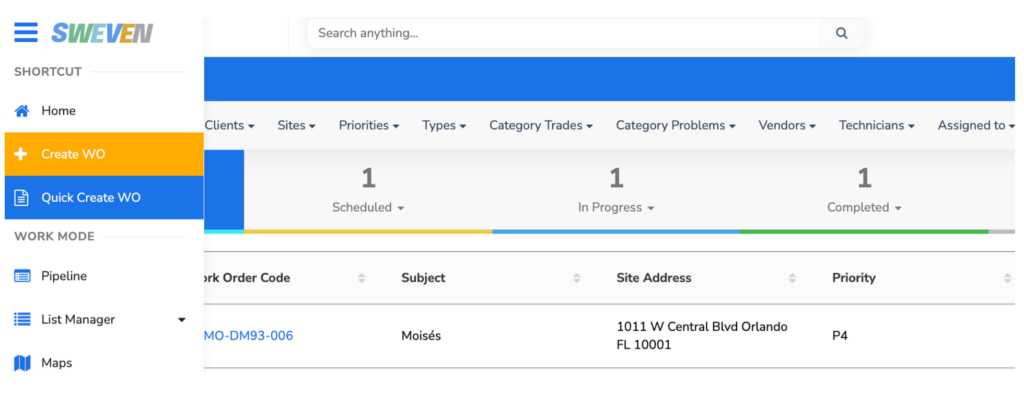
Click on the hamburger menu at the top left of the screen. You can select “Create a WO” for the full Work Order formulary or “Quick Create WO” for a fast, lean version. Either option will create a New work order as per the data entered during creation.