Import Tools – Mass Data Loading

When loading large ammounts of information into Sweven you can use the Import Tools feature to save time on data input.
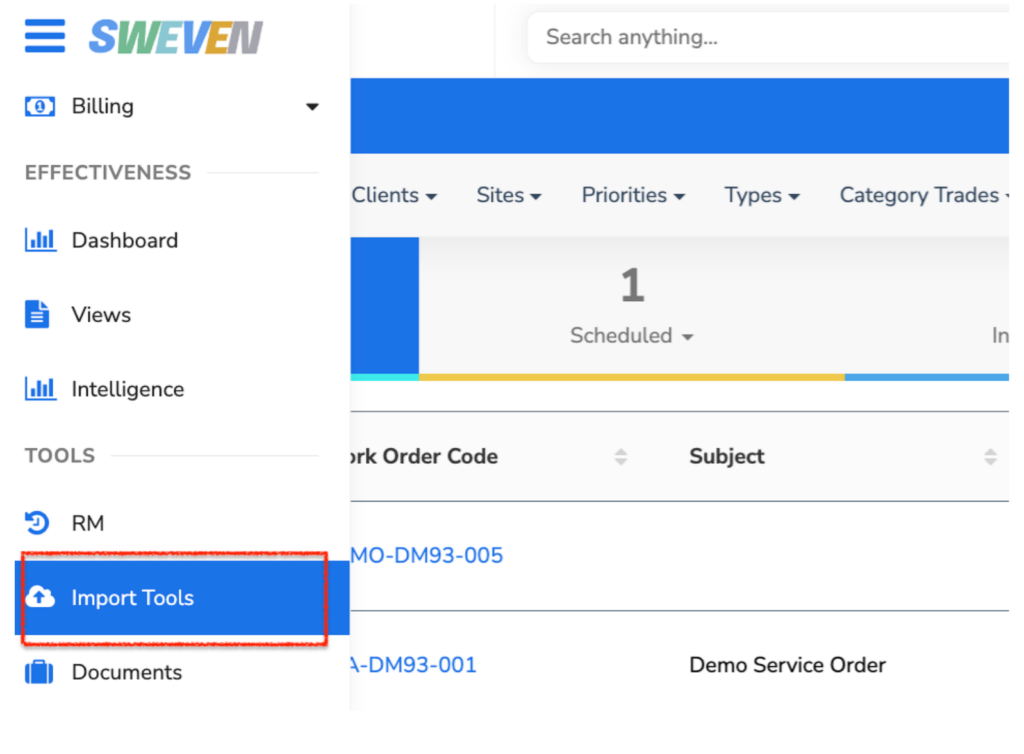
Access this feature by clicking on the hamburger menu and then click on “Import Tools”.
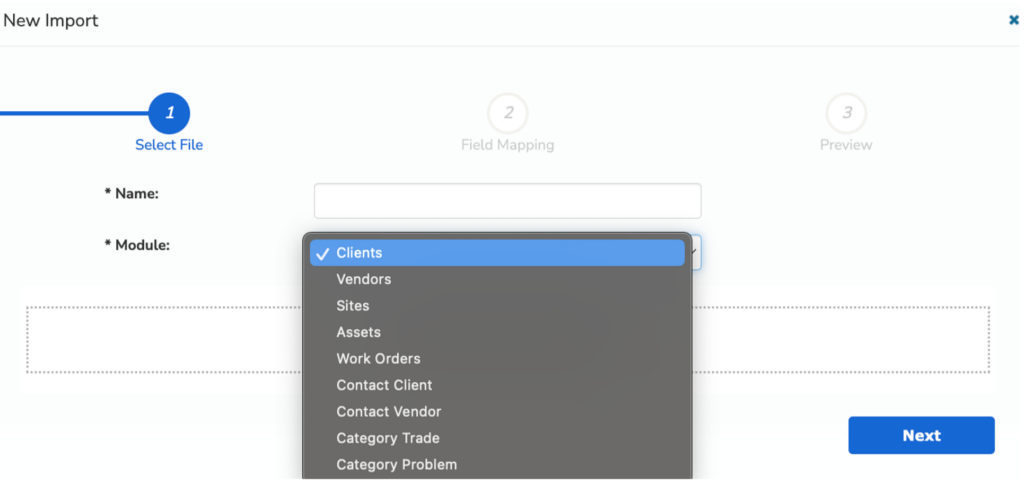
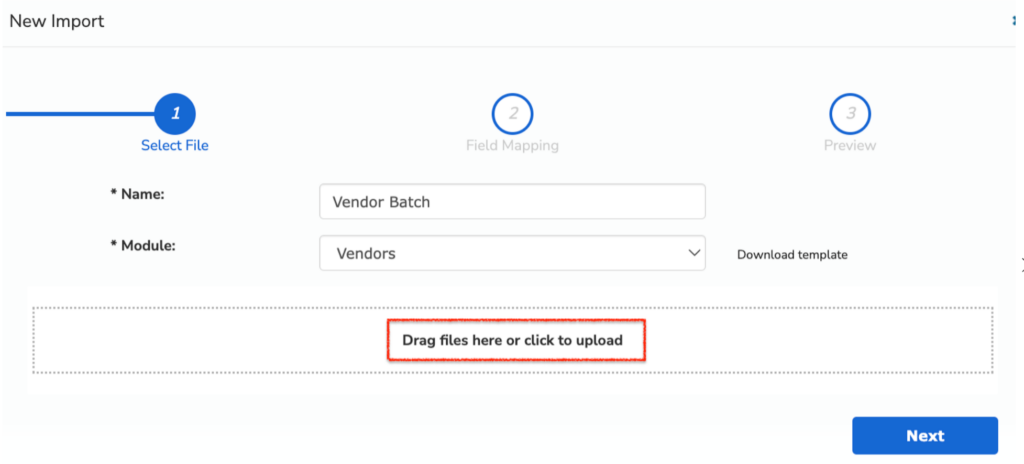
Click on “+New”, input a name for the batch to Upload and then select the module you want to fill.
Once selected, click on “ Download Template”, where a file will be provided for you to add the information to be uploaded. Please note: the first row is for reference only and will not be loaded by the Import Tools feature.
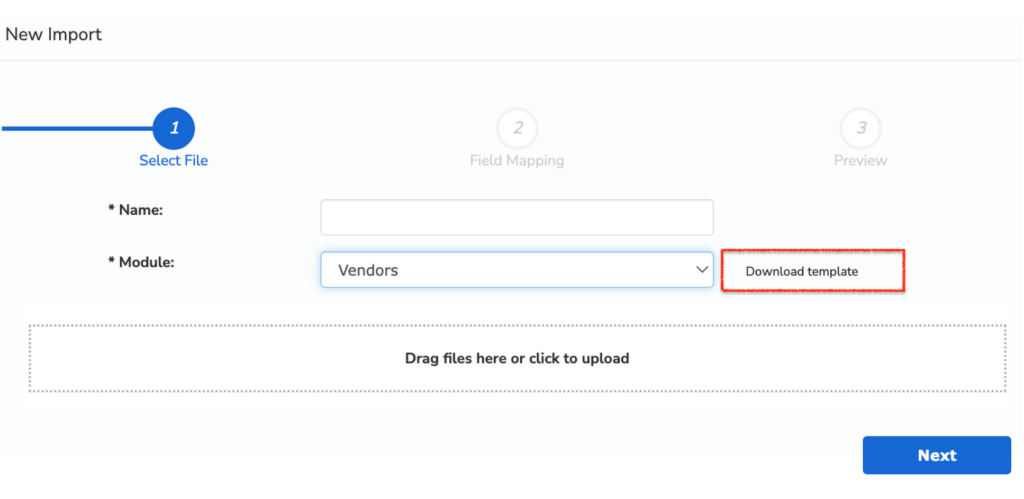
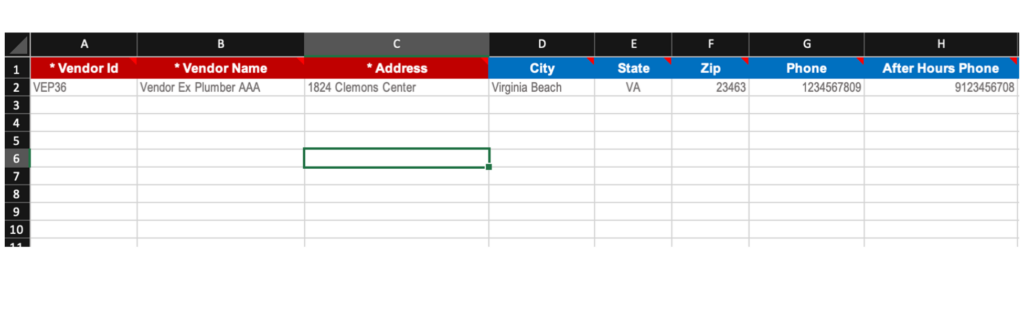
Once filled out, upload the information back into Sweven by dragging the file containing the module’s information into the “Drag files here or click to upload” box.
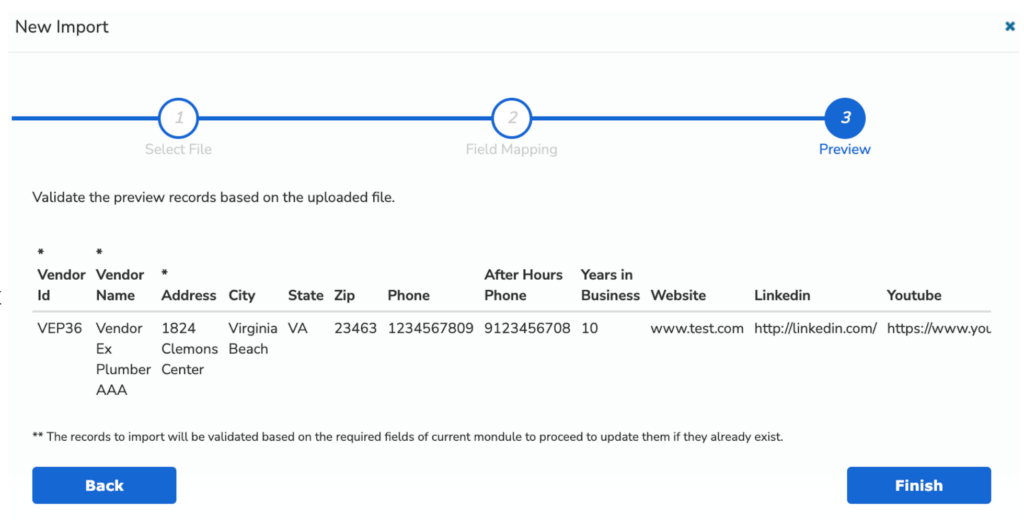
Make sure your information is set-up correctly and then validate by previewing your information as it will be loaded into Sweven.