Verified Solution
Playbooks
Change Profile Picture

461 Views
0 Replies
Changing your profile picture on Sweven is a quick and easy process. Follow these steps to upload a new picture:
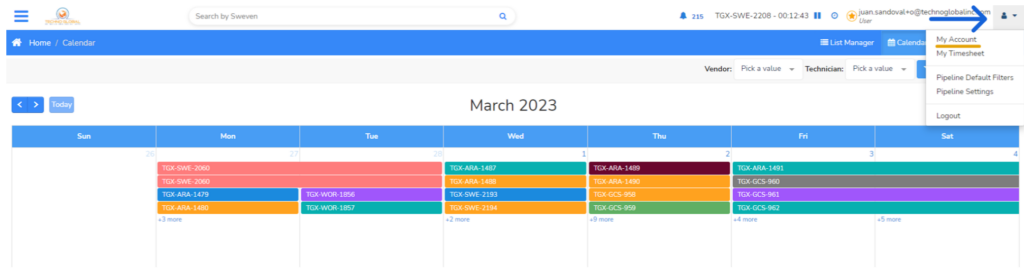
First, log in to your Sweven account. Once you’re logged in, click on the user icon located in the top right corner of the page. From the drop-down menu, select «My Profile».
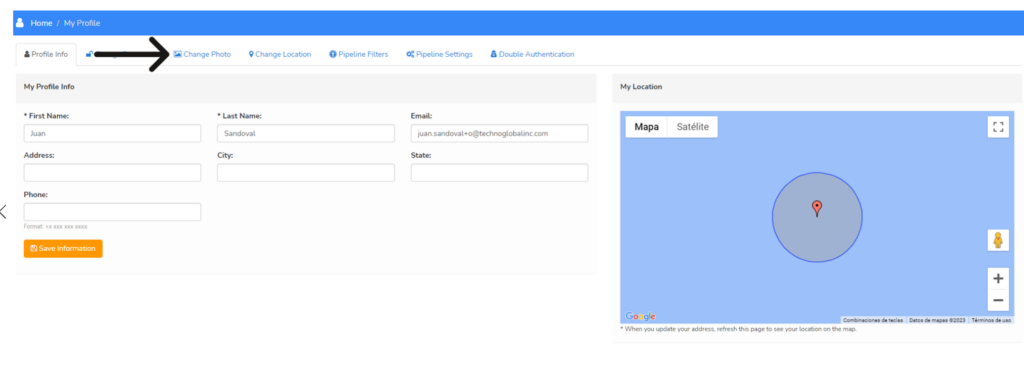
To change your picture, click on the «Change photo» section.
Click on the «Select file» button to get started. Browse through your computer files to find the picture you want to upload. Once you’ve found the picture, click on it and then click «Open»
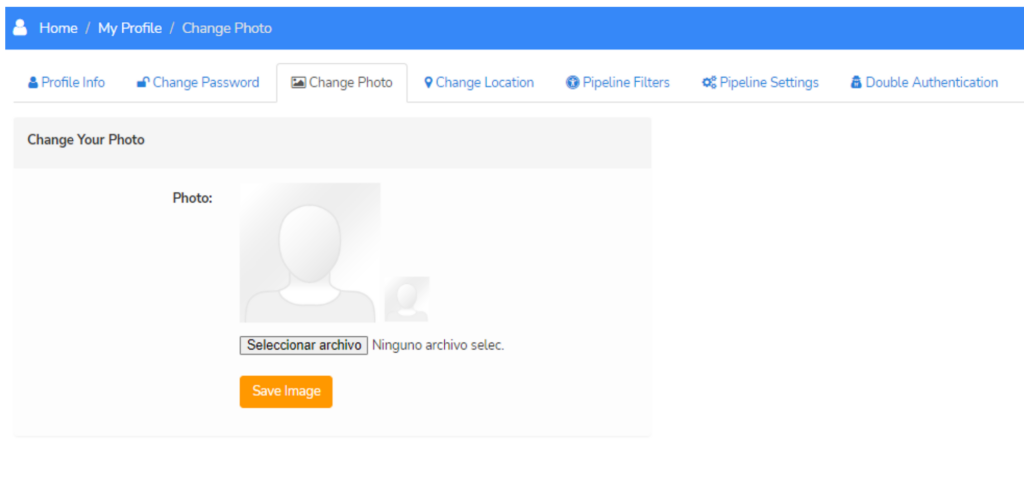
Click on «Save Image» to save the changes.
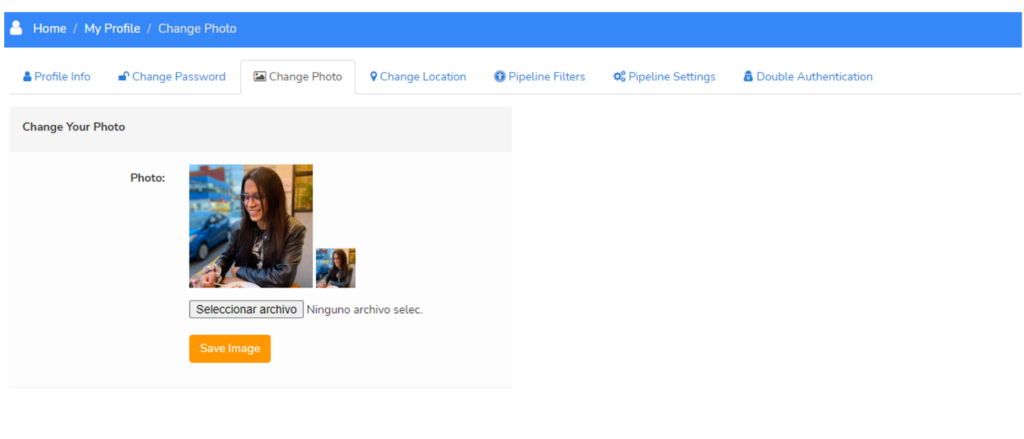
Your new profile picture will now be displayed on your profile page and throughout the site.