Verified Solution
Playbooks
How Billing works on Sweven

630 Views
0 Replies
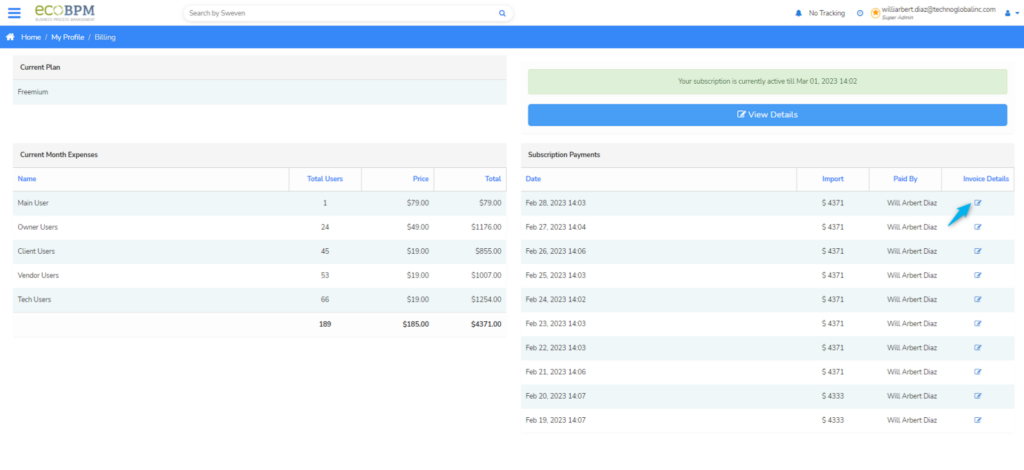
The Billing option provides users with a single view of the number of users within an account, including their cost per user, total amount, and any canceled quotas.
This option is available from the «Billing» module in the top side menu.

This section also indicates to users their payment plan and the date up to which the service was paid.

You can access the details of a specific payment by clicking on the «Invoice Details» icon next to the invoice you wish to consult.
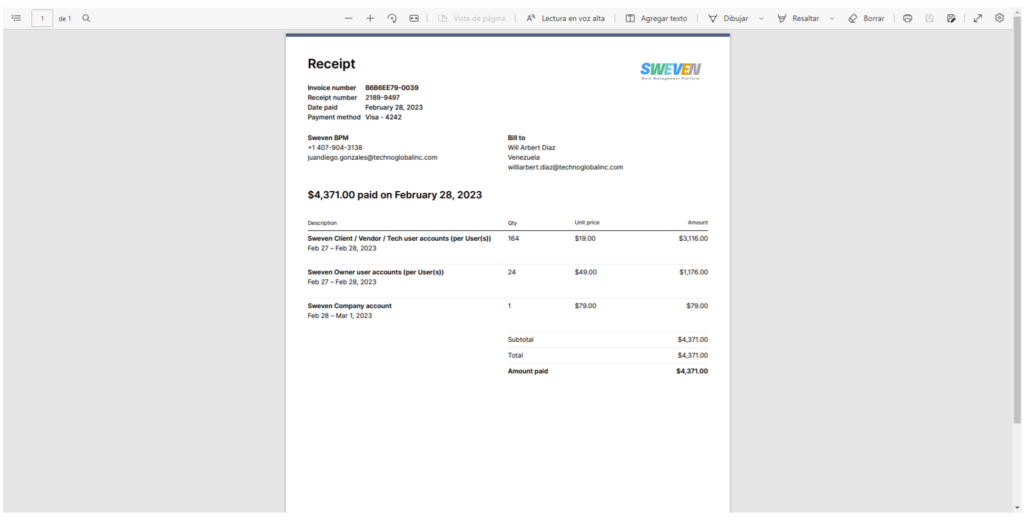
In this view you can download the invoice or receipt in pdf format.

Invoice:

Receipt: