
Verified Solution
Uncategorized
How to assign a site and make it visible in the dashboard tank

142 Views
0 Replies
To make a device visible in the dashboard tank we must have a site assigned and a corresponding service area.

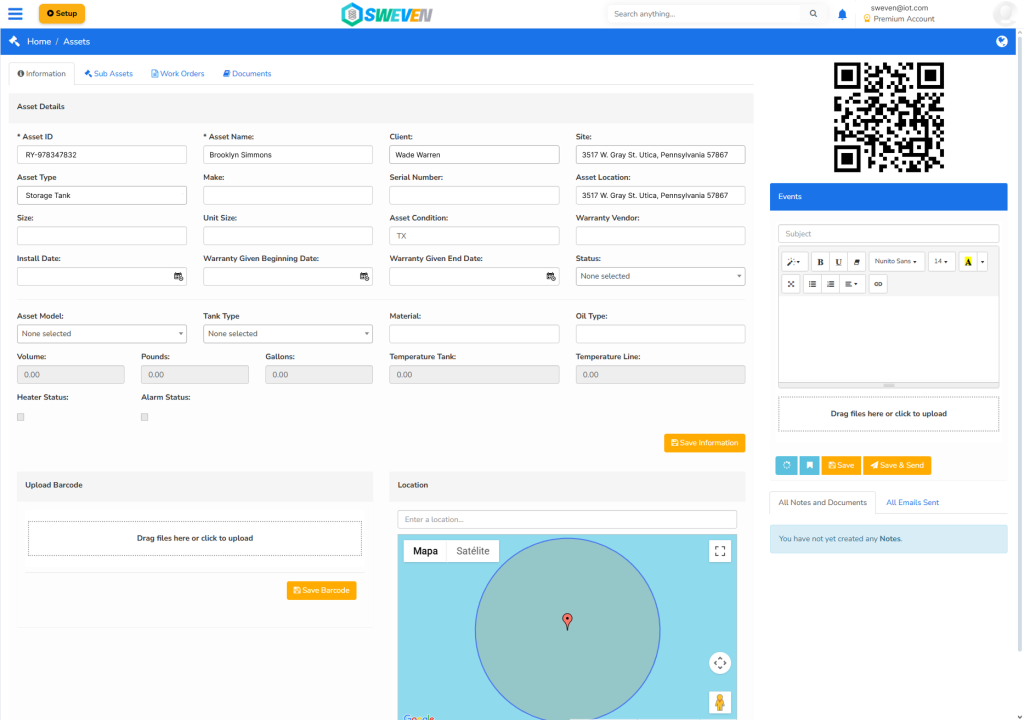
We will go to menu, List Manager, Assets.

1.- We are looking for our site, add a site, verify that you have one added.
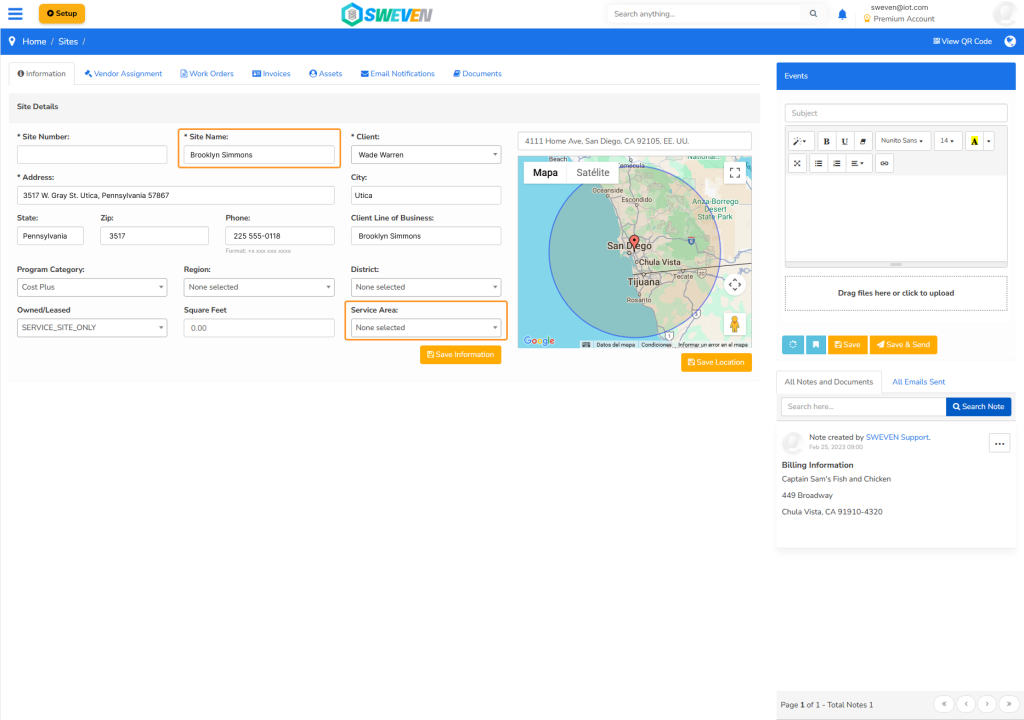
2.- Assign a Service Area. Verify that you have a Service Area added to the assets, this way your device will be visible in your dashboard tank.
Remember to save each of the changes.
Save