
Creation and set up of a new client.

Clients are required to be created in order for work orders to be correctly categorized and processed in Sweven.
Clients can also access a dedicated portal for internal communication, monitoring of tasks, and posting and consulting documentation using this platform. Clients and their staff can be on top of the tasks provided to you and their current status and progress using the client pipeline, being informed in real-time and notified via email.
How do I create and set up a new client?
In order to create a client registry and optionally grant them Sweven access, please follow these steps:
On the hamburger menu, scroll to List Manager/Clients.
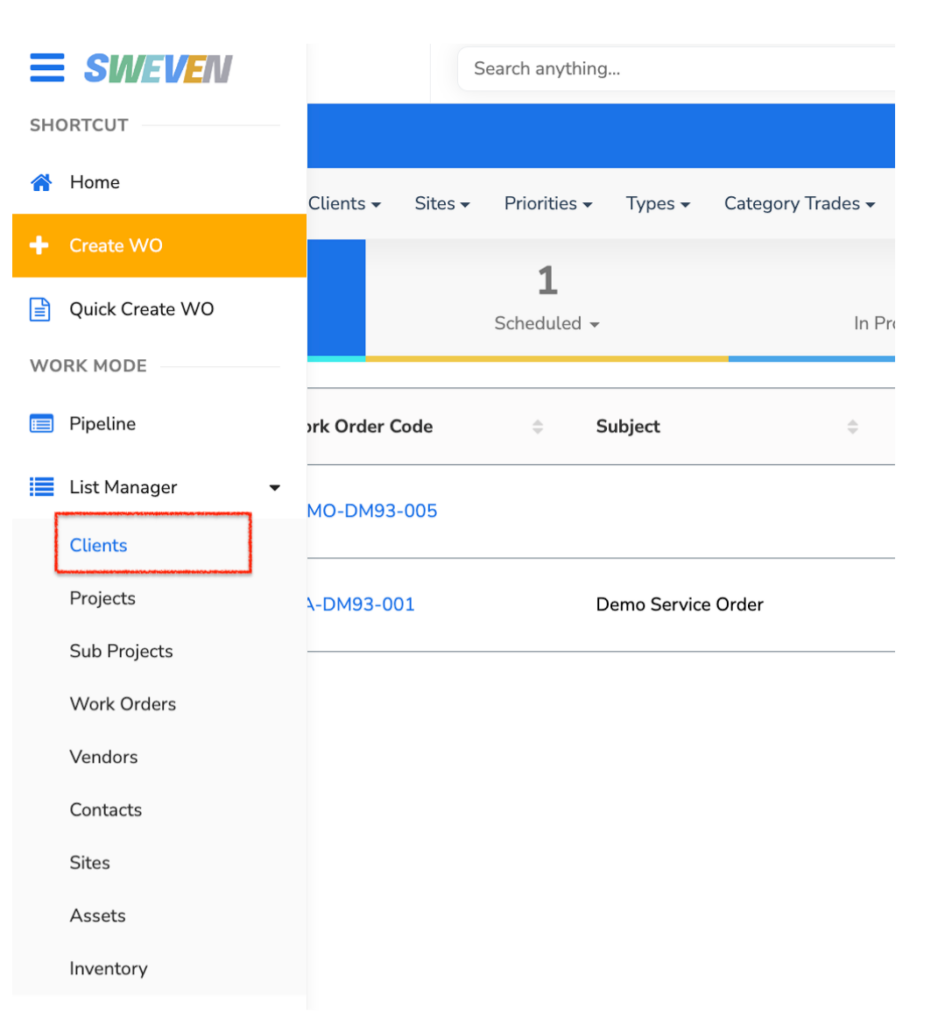
This will display all available clients, and if empty, you can add a new one click on the «+New» button.

Fill up all required fields, marked with an asterisk. This information can be updated and modified later if needed.
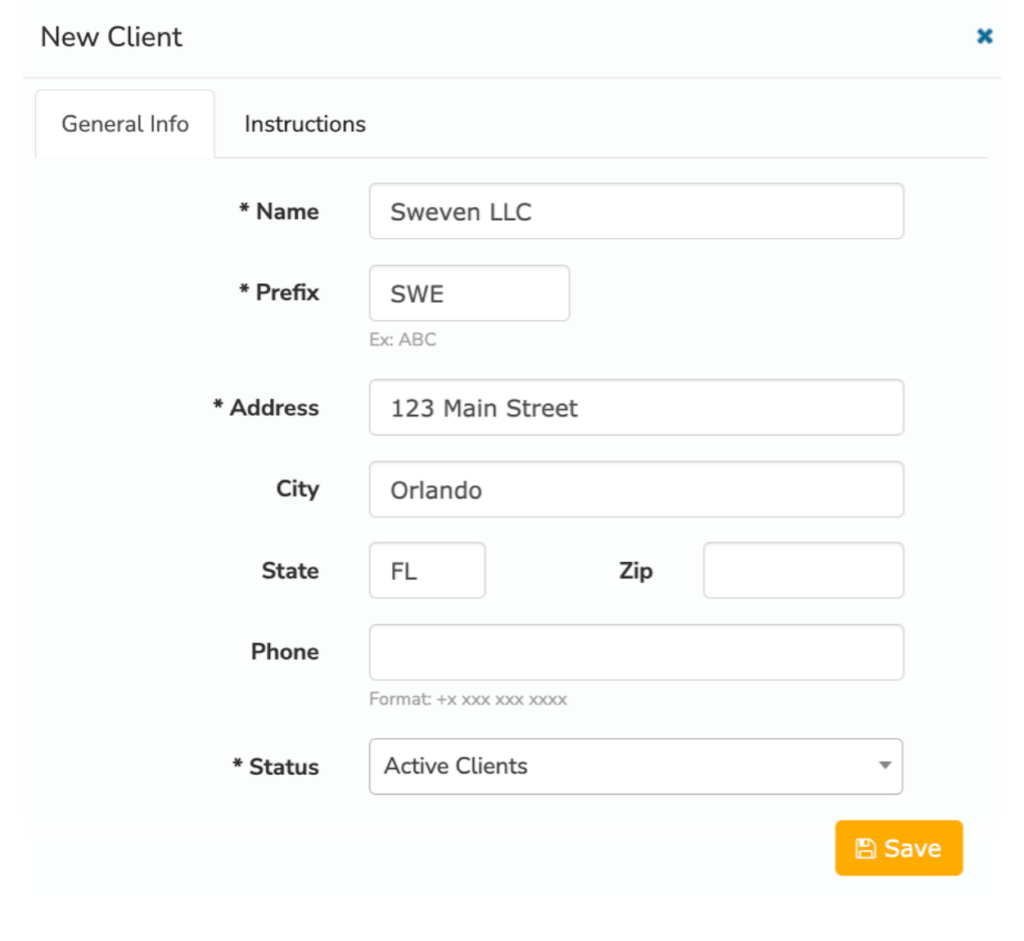
When creating a client, keep in mind:
The “Prefix” field will be included in all Work Orders created for this Client. Ex. BPM-SWE-001. This will help you classify and identify all work orders created for this client.
You can modify this anytime, as long as there isn’t an existing client using this prefix.

You can select the client’s status in your process. For instance, a client can be an «Active» one, providing you with tasks; or a «Lead» or «Prospect», meaning this client can potentially be added to your roster once their onboarding process has been completed, but it needs to be registered in the platform, regardless of the outcome.

This can be updated in the client’s profile in List Manager/Clients.
Once this process is finished and a new registry for a client has been created, a list of all the clients registered in the platform will be displayed in this module for easy access.
